
Bridge
Hear it here.
An audio preview for Finder, made for people making music. Select a sample, press Space, and hear it in context before it goes anywhere near your session.
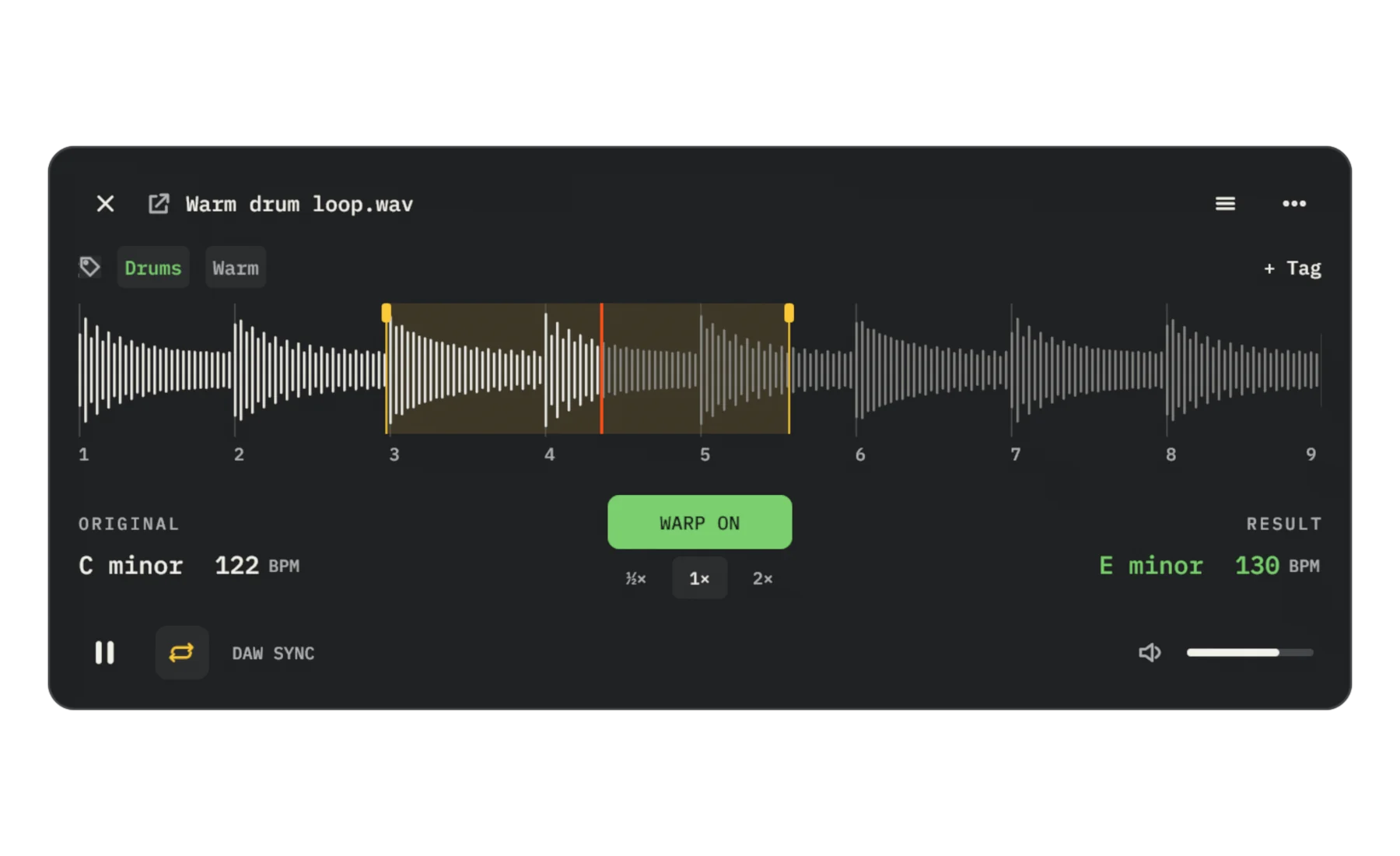
The panel on this page is a silent illustration. Filenames and values are examples.
Select. Space. Listen.
Bridge opens over the file you selected in Finder. Scrub the waveform, zoom in, set the volume. Nothing has to be imported first.
Loop it until you’re sure.
Switch the loop on and drag its handles along the beat grid. The yellow region repeats; the orange playhead keeps your place.
From the original, C minor at 122 BPM, to the result, E minor at 130 BPM.
Original shows the file’s own key and tempo. Result is what you’ll hear: set a target tempo and key, transpose or tune, and Warp plays the sample there. Correct the source values if detection misses, or try it at half or double speed.
Chop: ten numbered cue pads.
Turn on Chop and a row opens under the waveform. The loop is cut into slices, one per numbered pad, so you can test a rearrangement before you slice anything. Set the slice length with the division; page through banks to reach later bars.
Tag it. Drag it out.
Edit Finder tags without leaving the preview. When it sounds right, drag from the filename to carry the audio into a session or a folder.
DAW SYNC shows a linked session. Linking needs a compatible Bridge endpoint and an active session; the Finder download doesn’t install one. Manual tempo and key targets work without it.
Download
Checking the current release…
This is the Finder preview for Mac. The library Browser and the DAW plug-in are separate.